Scispot internship • Shipped 2025
Building a smart data import tool for scientists
Context
Scispot (YC S21) is an early-stage startup that builds tools to accelerate scientific research discovery in healthcare.
Scispot has helped over 100+ clinical diagnostic labs document their lab samples, track experiment results and conduct analysis. In 2025, I joined the 10 person team as a product design intern.
Timeline
Team
Designer (Me)
Engineers
CPO
Constraint
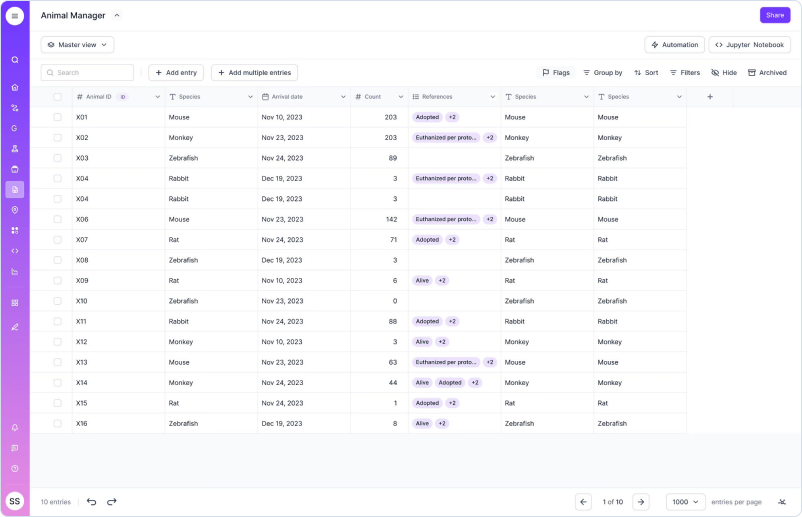
Scientists in clinical diagnostic labs conduct test results for patients using their blood, urine and skin samples.
The resulting data is then imported back into Scispot’s labsheet product for comprehensive analysis and used to generate a test report for patients.
Scispot’s Labsheets product
Problem
Scientists cannot import their test data into their Labsheet because of data type incompatibilities with Labsheet columns.
If scientists cannot import their scientific data, labs cannot generate a test result report for their patients.
My impact
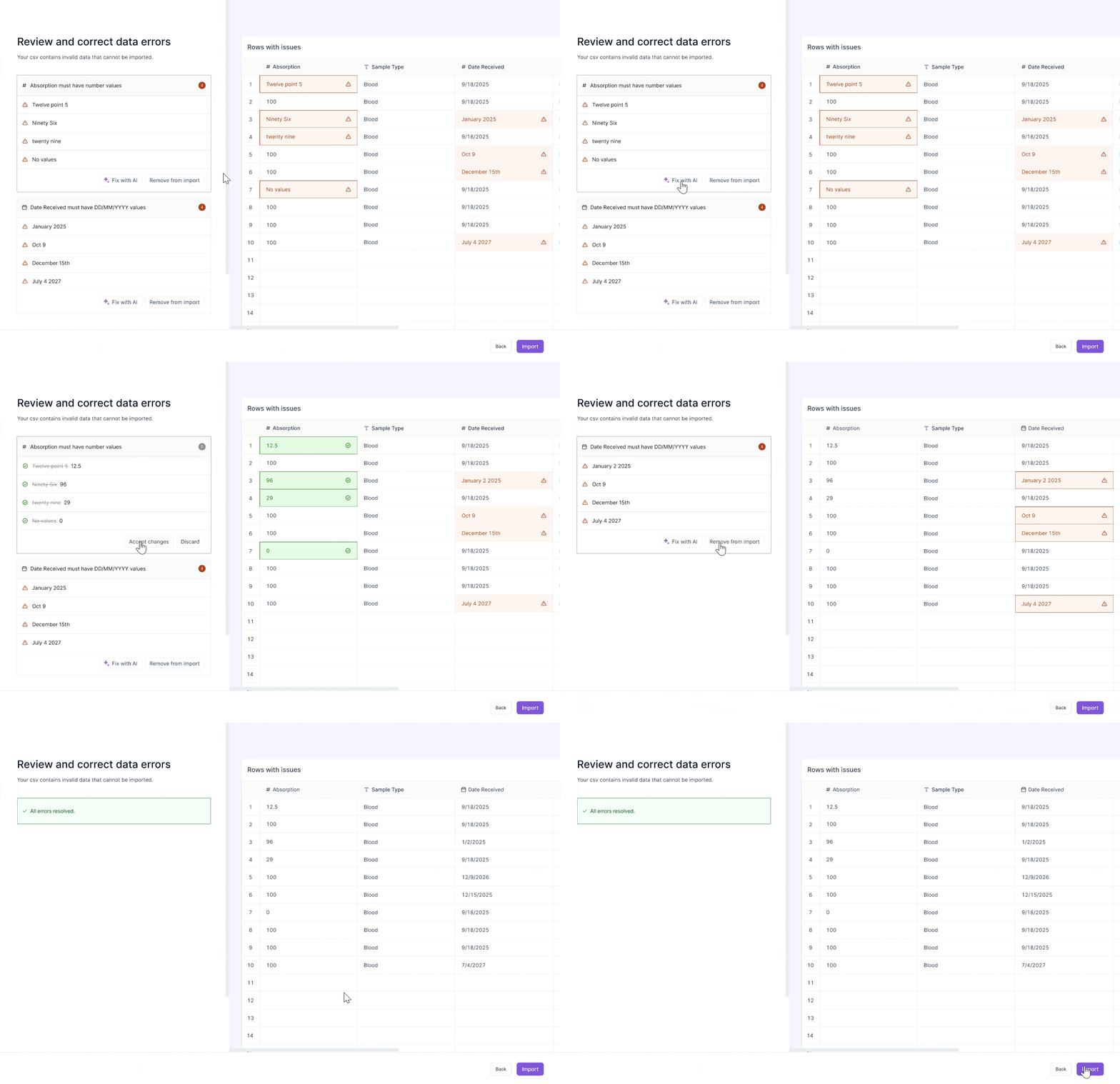
I scoped and designed an AI data import tool that converts test results into structured data, reducing data import time 30%.
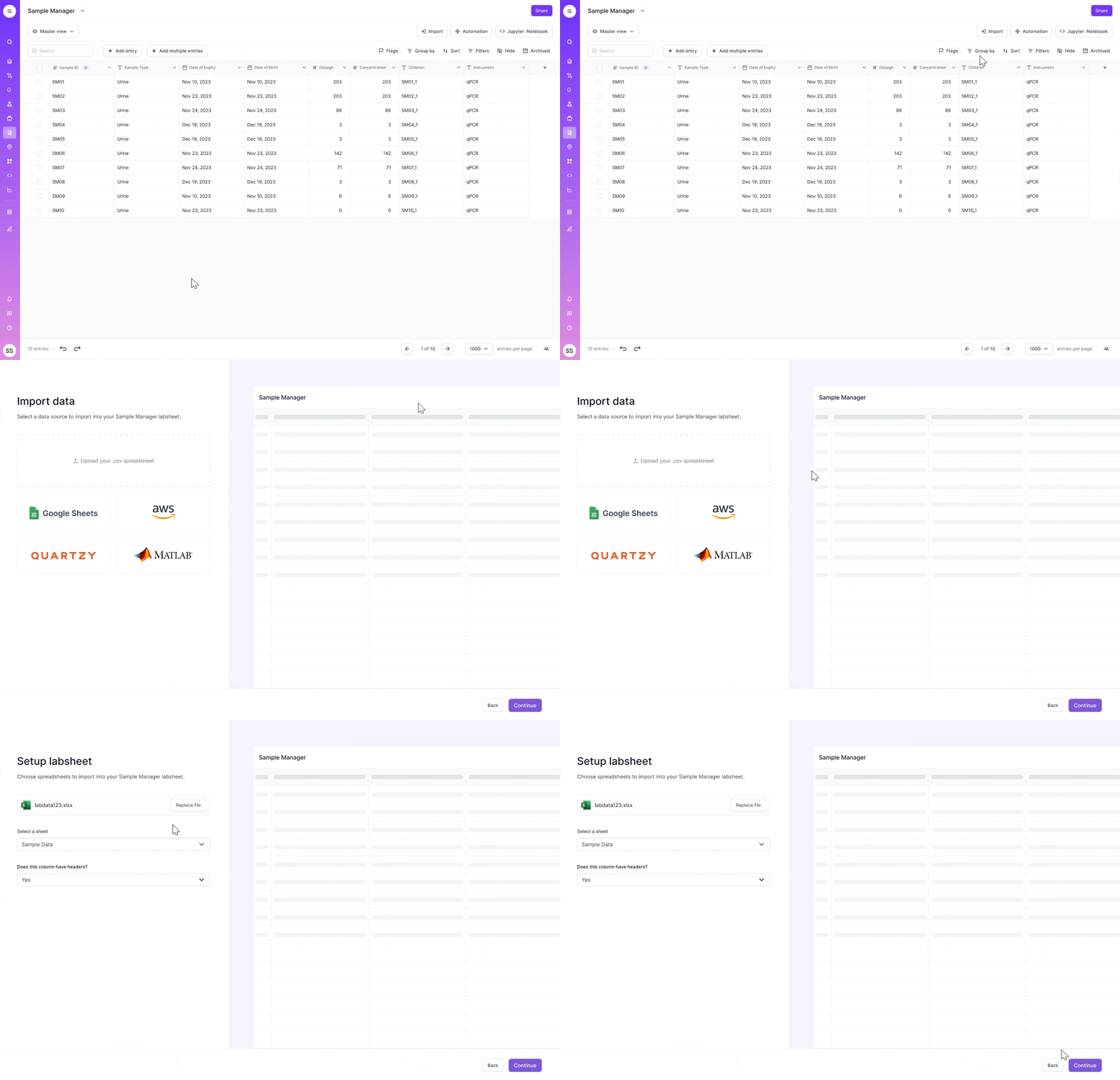
Upload & setup csv columns
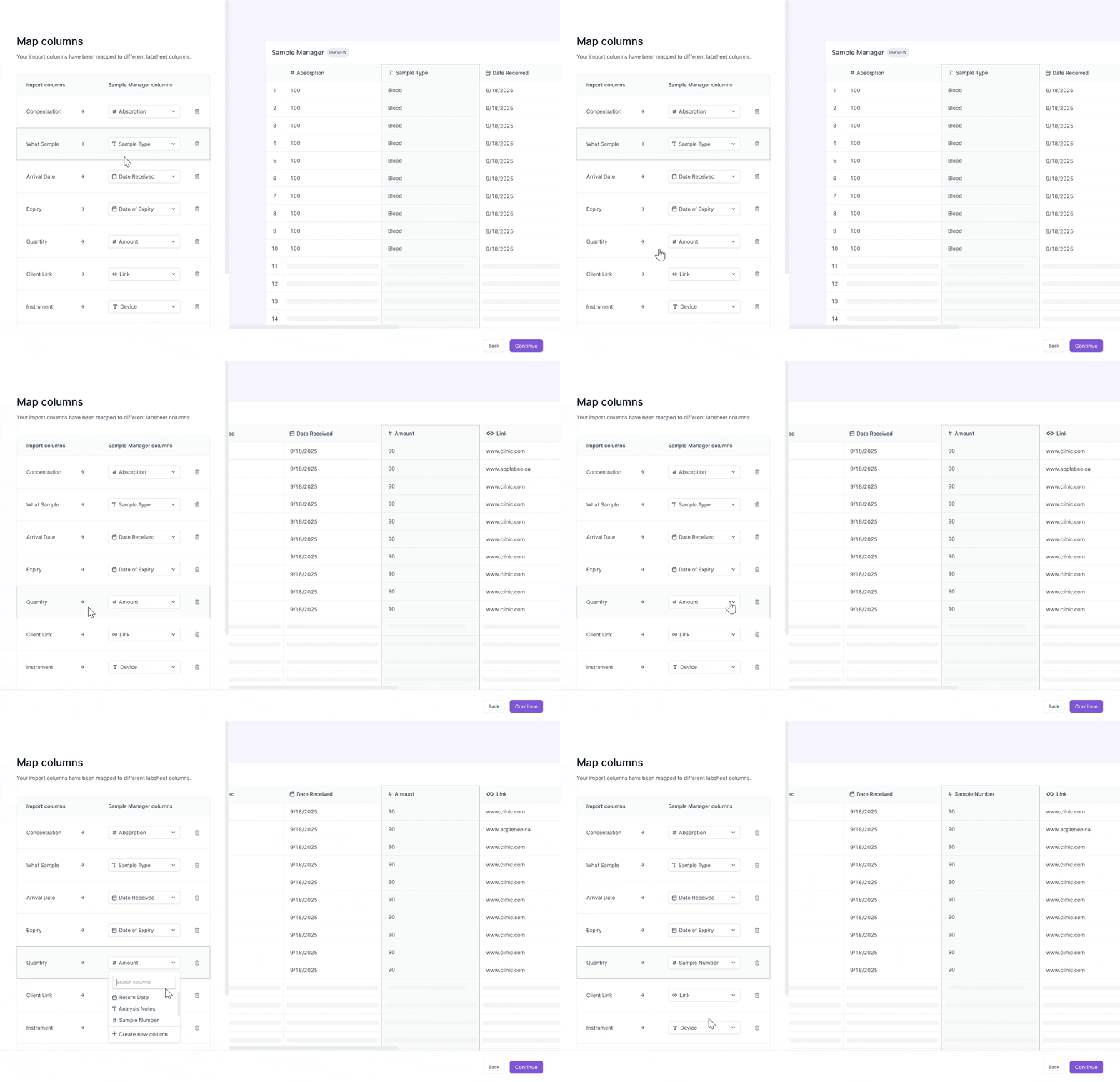
Map CSV to labsheet columns
Review and correct data errors
Research
I interviewed 3 scientists to understand why imports were failing.
I wanted to understand where scientists are getting stuck in the user flow, why they are mapping their columns wrong, and why they are experiencing data import issues.

After conducting research, I identified three main issues with the current experience.
I went through the import CSV process, audited the flow, and found the import flow to be incredibly manual and time consuming.
Import in wrong labsheet
Scientists were choosing from 100+ labsheets.
Mapping to wrong columns
Scientists made mistakes in manually mapping columns.
No error warnings
No warnings about incompatible mappings.
Decision #1
Simplifying the import flow steps
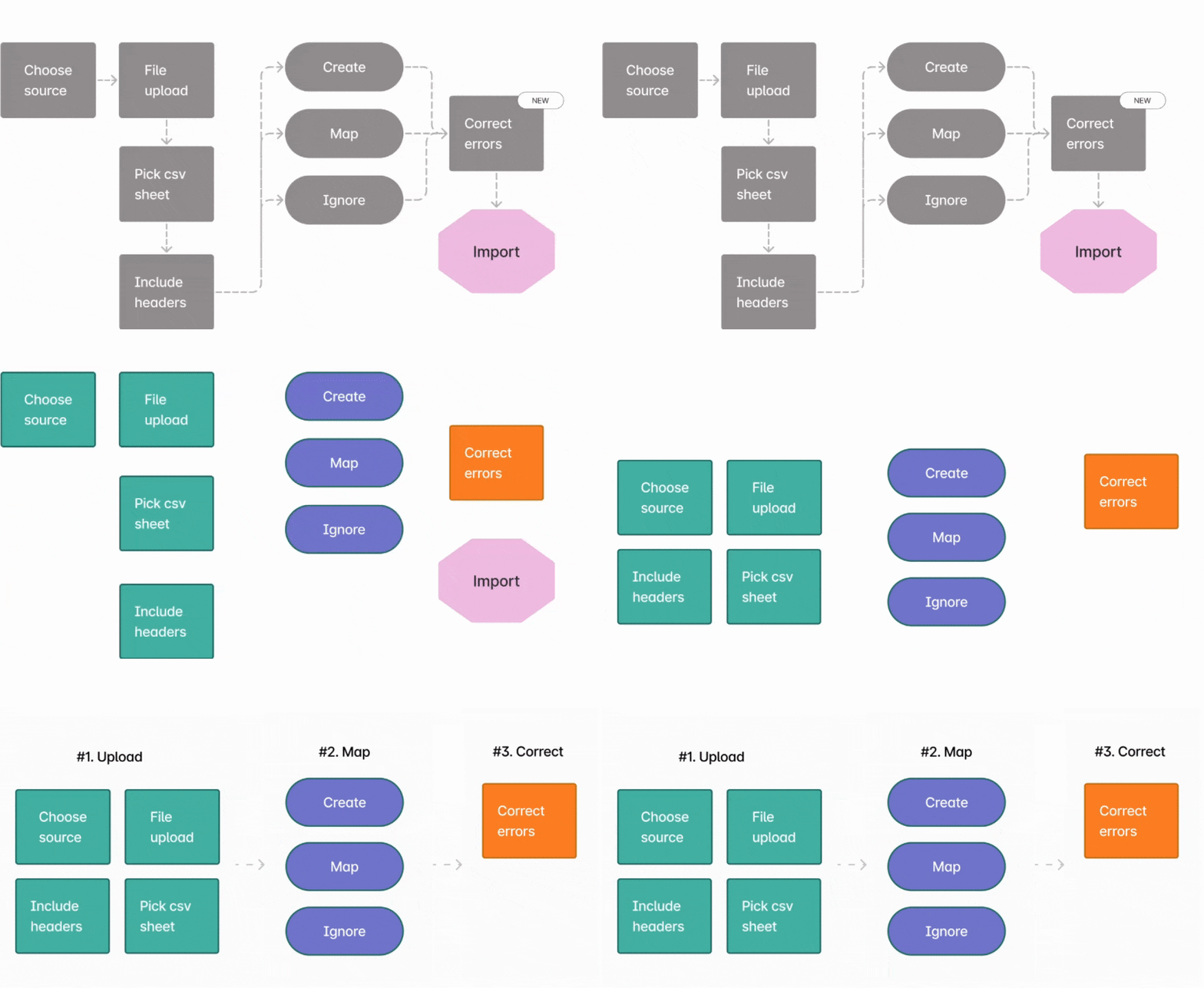
Currently, there’s so many steps in the import flow. I want to simplify the user flow as much as possible — data imports are a high frequency task that scientists need to do regularly in their workflow. I did a card sorting exercise to cut the number of total steps from 10 to 3.
Decision #2
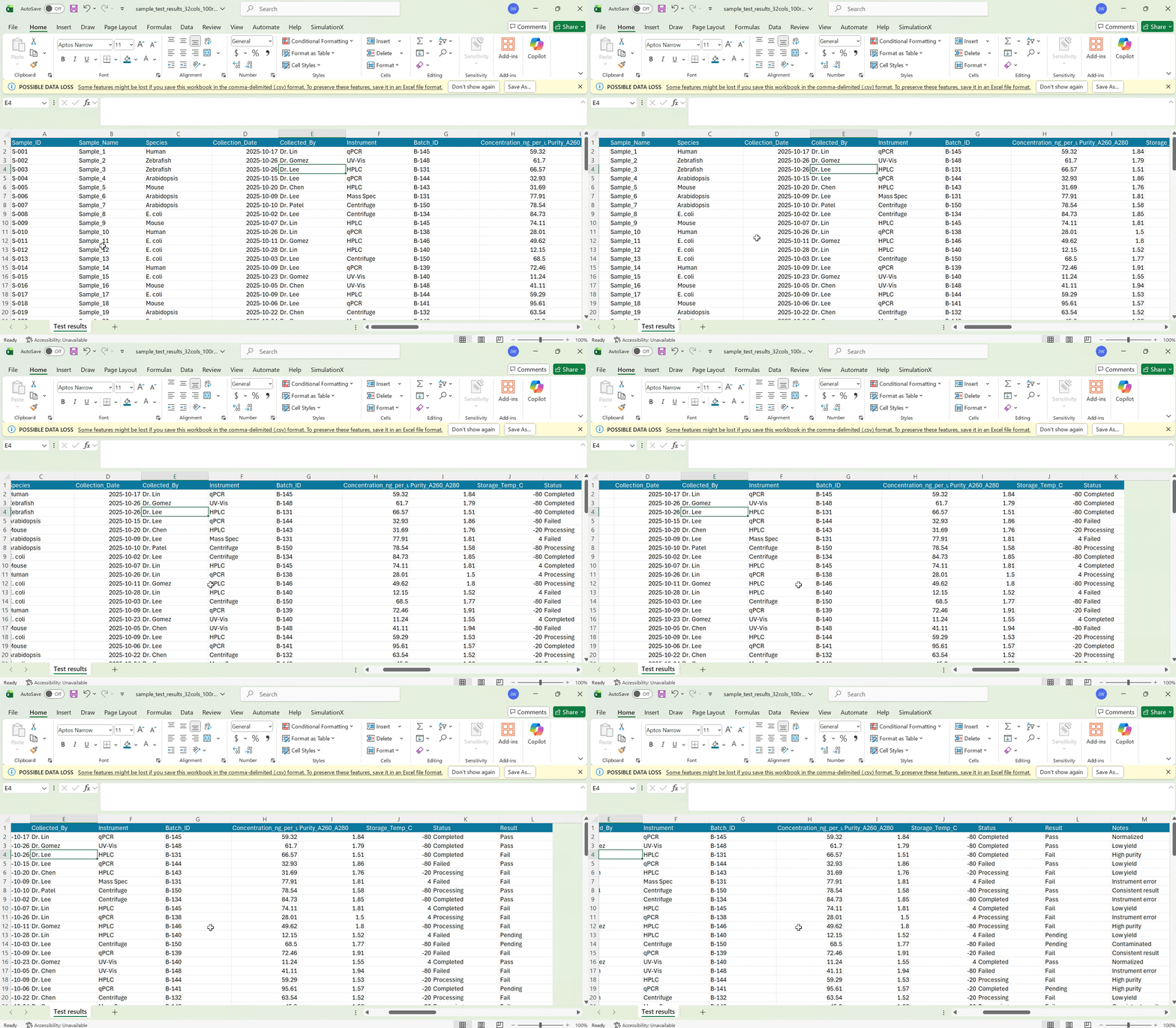
Previewing column mappings during import
Scientists have dozens of columns in their test result CSVs. Without remembering the contents of their data, they frequently map CSV columns incorrectly to their labsheet columns.
Initial design explorations
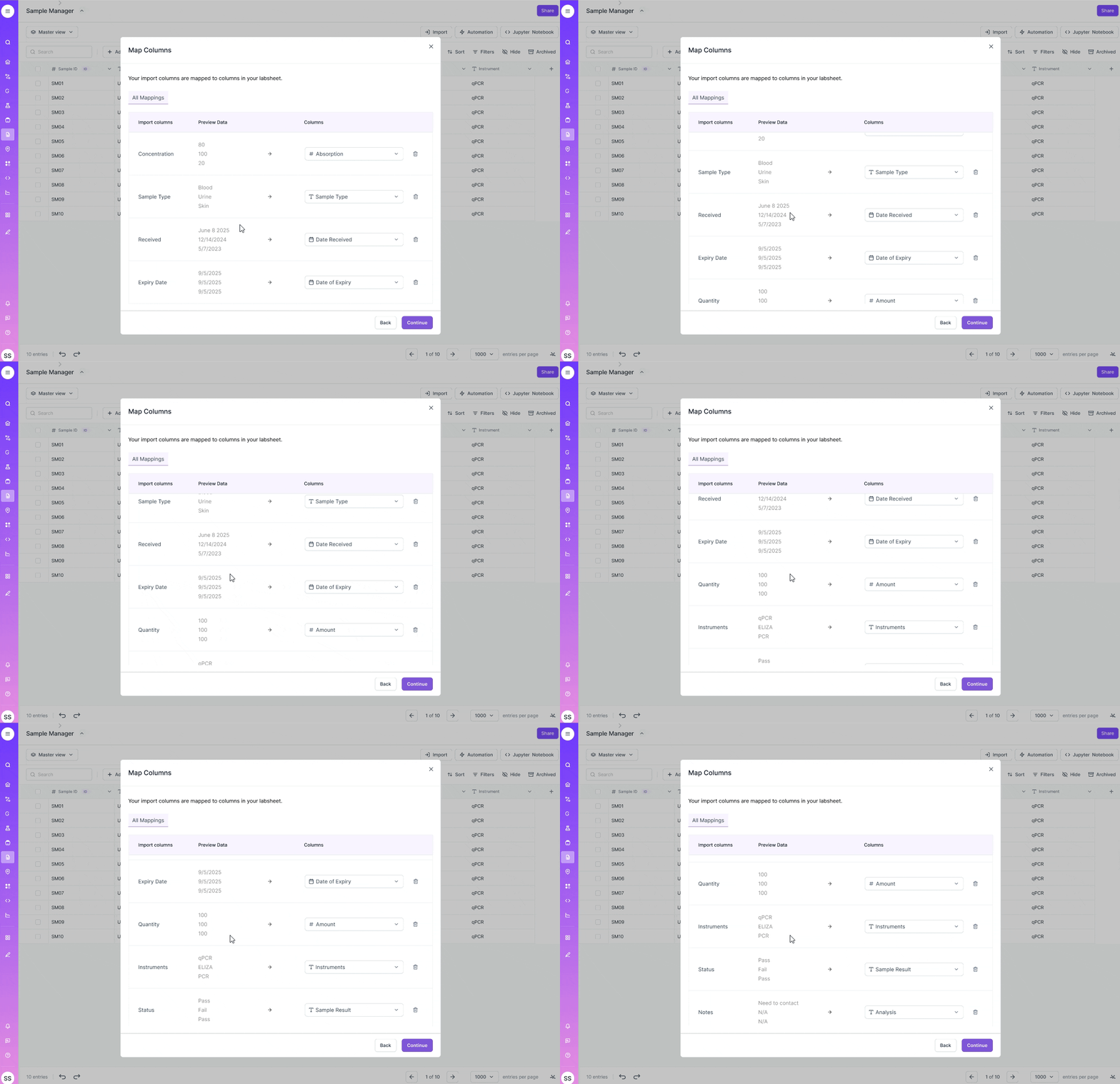
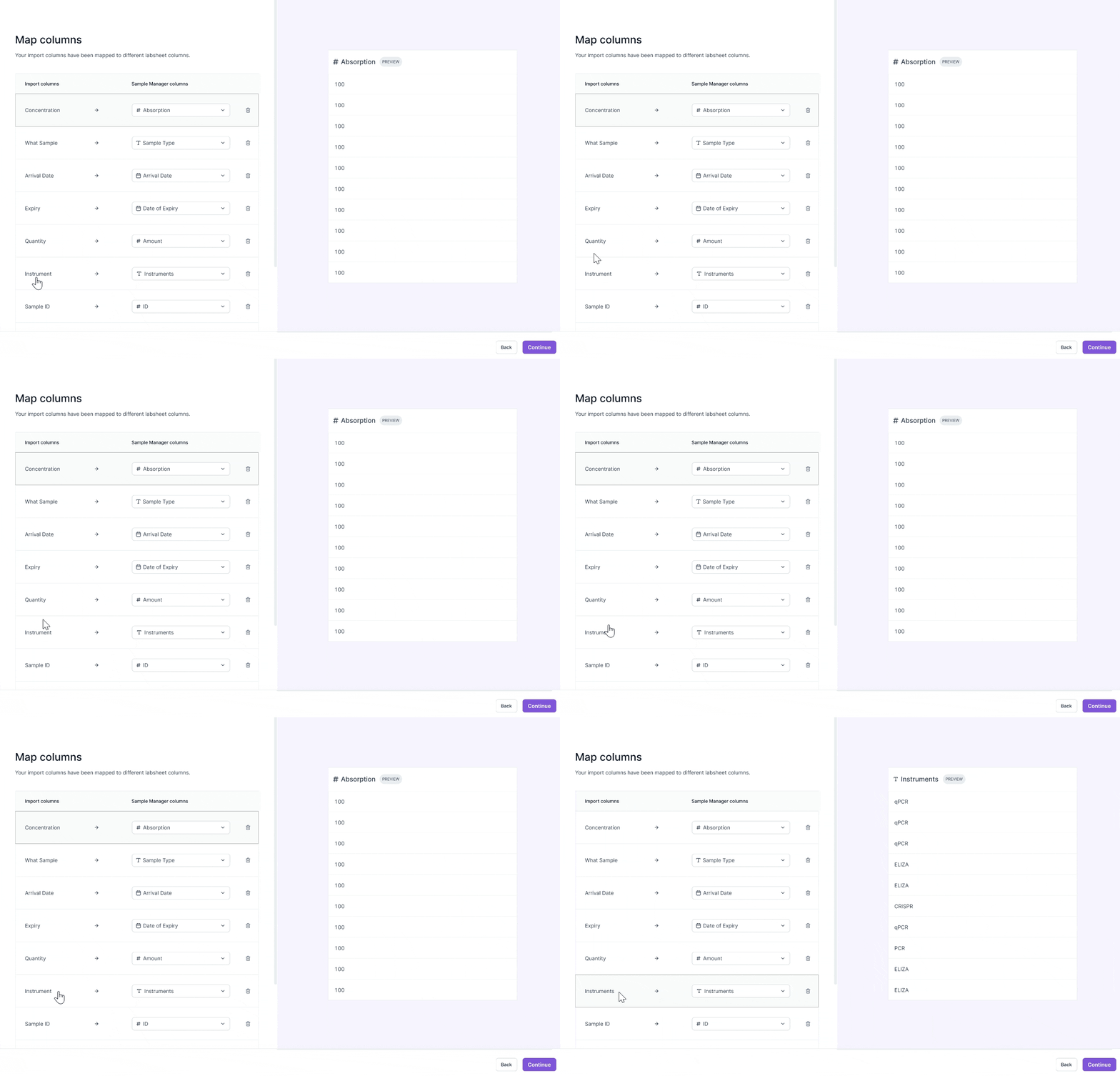
I explored two designs in allowing scientists to preview their data during the mapping stage. Scientists are working with sensitive data, where even one wrong mapping can lead to a wrong test result report. So, I decided to optimize for precision in reviewing data.
Iteration #1
Optimizing for scannability
See multiple mappings in one frame.
Easily make mistakes in reviewing data.
Iteration #2
Optimizing for precision
Carefully review each data entry without mistakes.
Easily visualize data in column preview.
Testing
I ran UX testing with scientists on my team.
I gave the scientist an import CSV task and asked them to try to complete the flow from start to end without any instructions. After the session, I discovered two core findings and created iterations.
Insight #1
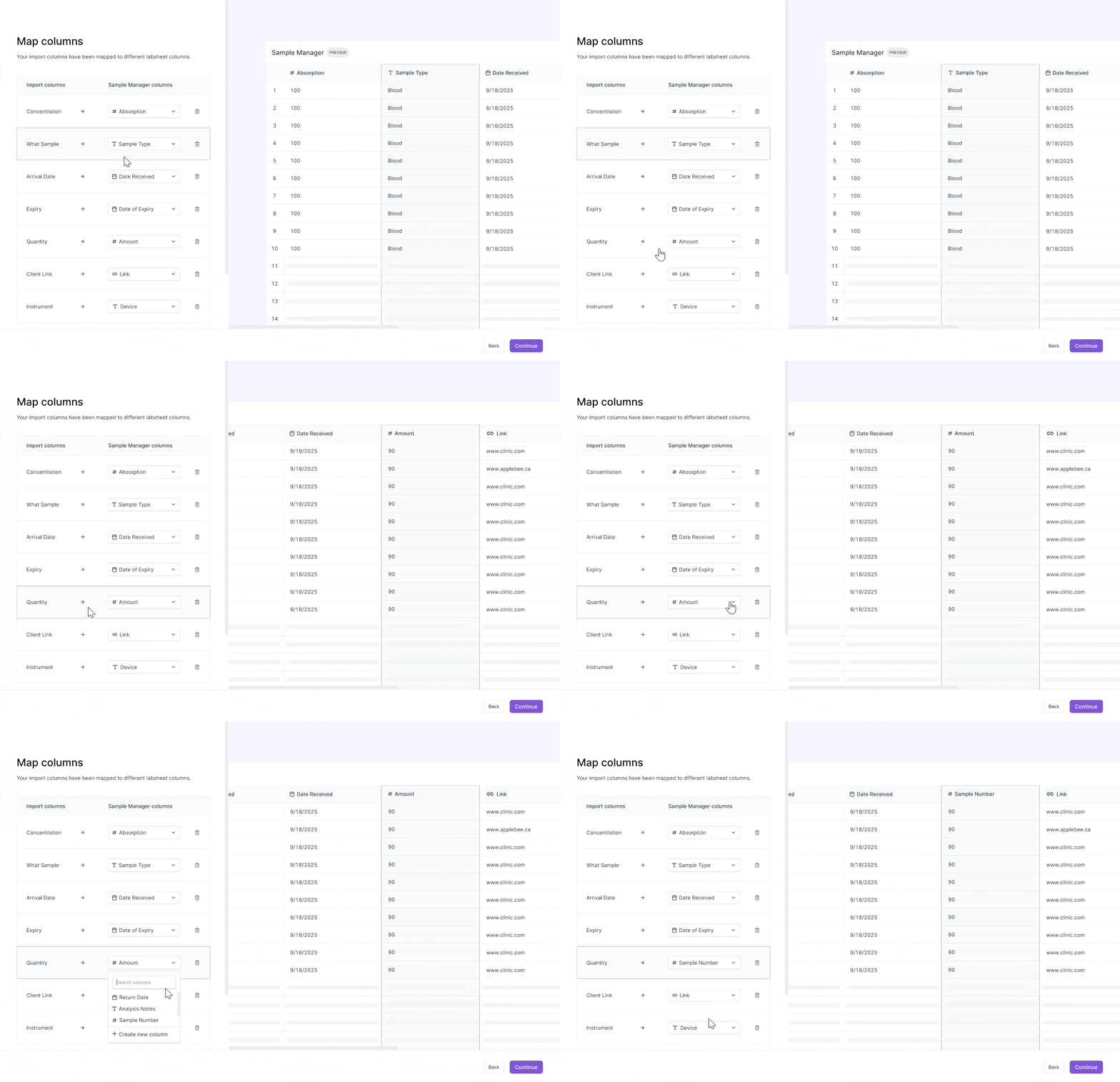
Users need to see the full data context to understand what each data entry means.
Solution
I iterated and displayed a full data preview of the spreadsheet.
Scientists can scroll horizontally in the spreadsheet to understand how the columns relate to each other.
Insight #2
CSV files take anywhere between 2 to 30 minutes to upload.
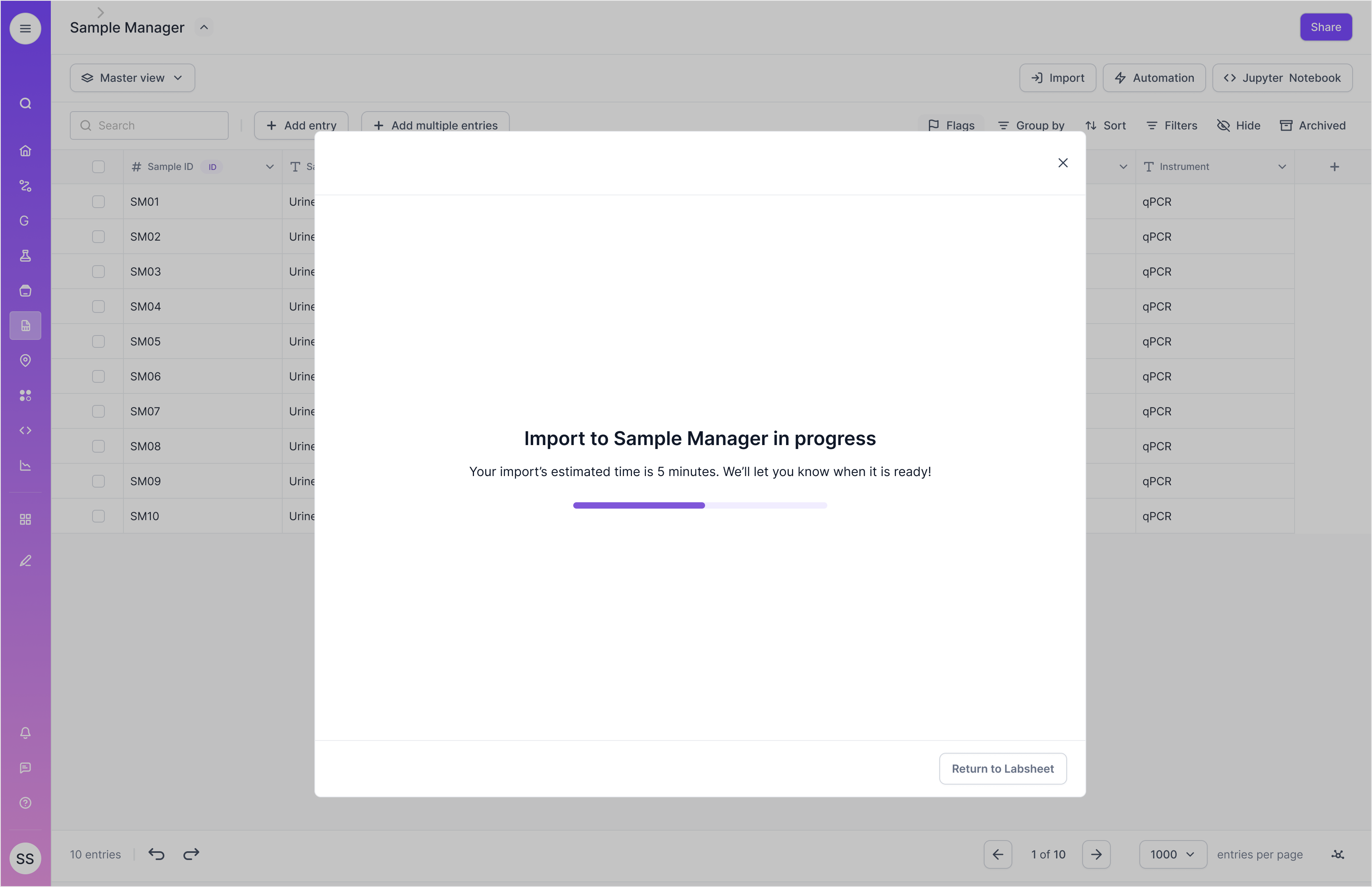
Scientists are currently stuck on one screen waiting for the CSV process to finish.
Solution
I added a loading state to inform scientists when the CSV import will finish.
I allowed scientists to return to other tasks and built a toast notification to notify users when the import is completed.
Mission success
We shipped this new AI data import tool to 100+ labs.
Post-launch, we received positive response from scientists and tracked these success metrics.
Cut data import time by 30%
Scientists can now successfully import their test data into their Labsheet.
Resolved 50% of support tickets
This new feature solved major technical problems that our customers faced.
Reflections
Grateful for the journey! Here's what I learned.
Quality means shipping fast
This was my first time working at a fast-paced and high-growth startup! I felt uncomfortable at first making a lot of product and design decisions at an accelerated pace. But gradually I learned that shipping fast and getting the design out into the world allowed us to learn what customers really think, get feedback, and iterate on the product, turning it into something people love using.
Growing my skills as a full stack designer
Through working at a startup, I learned how to execute with quality and speed. I got to wear multiple hats across product, brand and marketing in launching this new AI-powered feature, which helped me grow my skills as a well-rounded designer.
Next up
Reducing retailer membership churn
Faire internship • Shipped 2024